
Give a partner access to one machine
Six steps in the app, about two minutes - and one click to switch it off again.
No credit card needed · cancel anytime · secure checkout with Stripe
Partner access, step by step
Your service partner needs the machine controller, the server or the office network for one job. One Beam-in code reaches exactly that - nothing else in your company.
- Awacino on the machine or on a device in its network
- A company account - every plan, also Company Free
- Your partner installs the free app
- 1
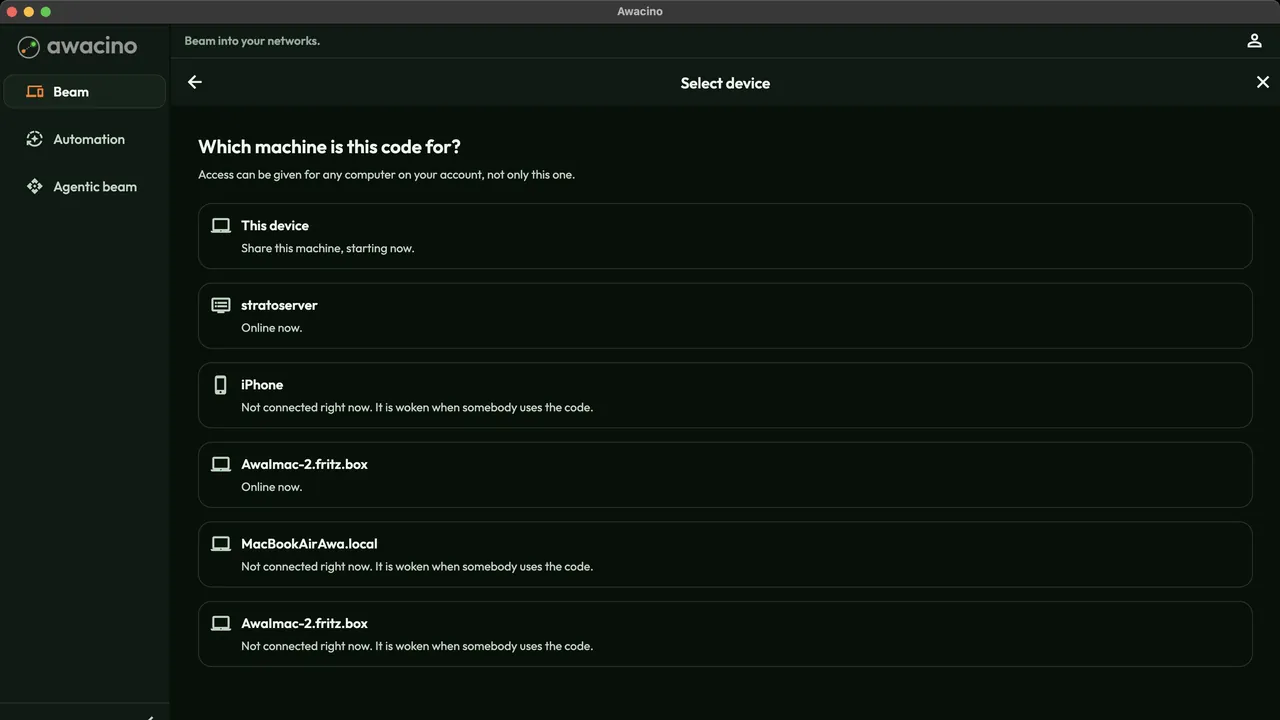
Pick the machine
In Beam in, tap Grant device access and choose the machine the code is for - this device or any other computer or server in your account.
A machine that is offline right now is woken when the partner uses the code.
- 2
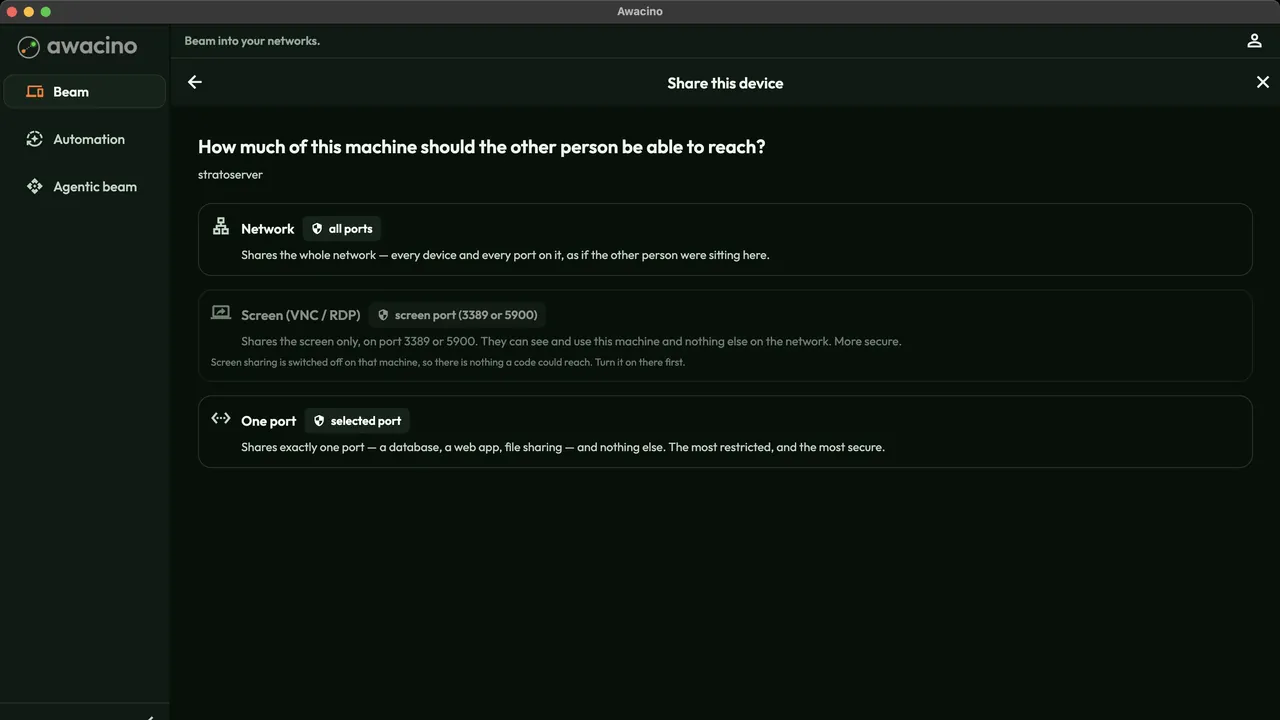
Choose how much it reaches
Network - the whole network behind the machine. Screen - only its screen, by VNC or RDP. One port - one database, web app or file share, nothing else.
One code reaches one network. For a second site, create a second code.
- 3
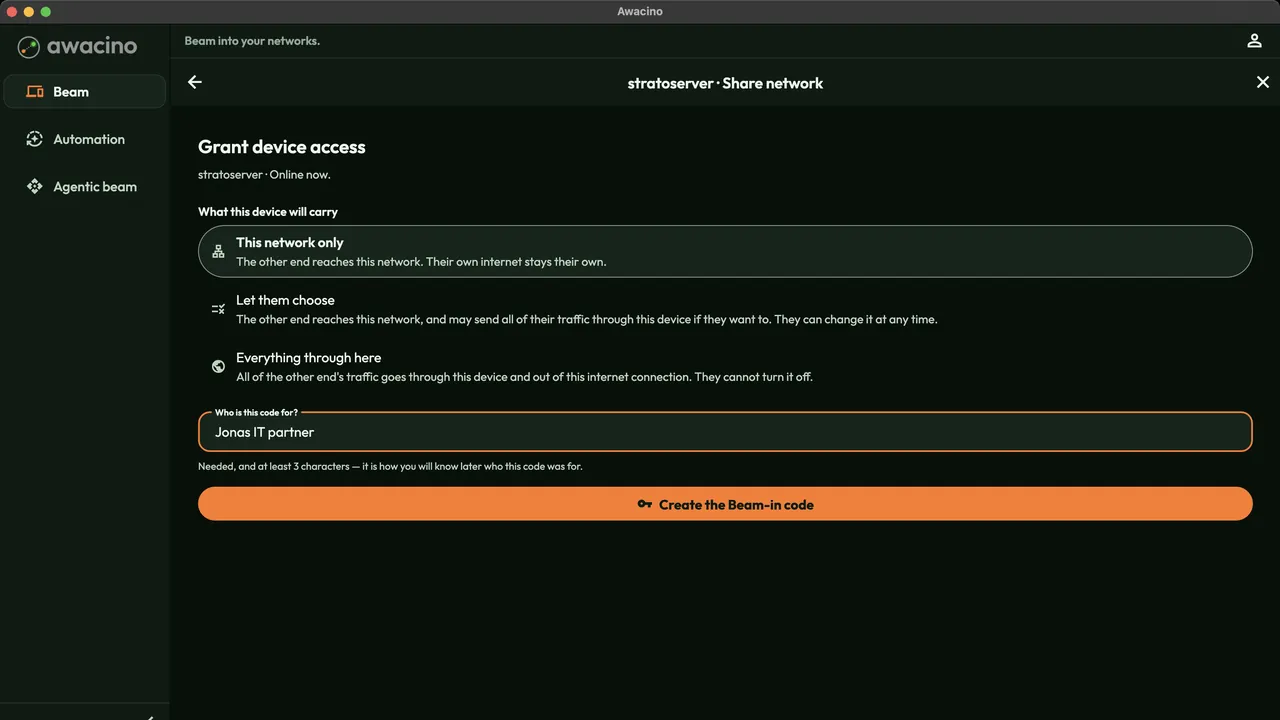
Say who it is for
Leave This network only selected, so the partner's own internet stays their own. Type who the code is for - it is how you find it later - and tap Create the Beam-in code.
- 4
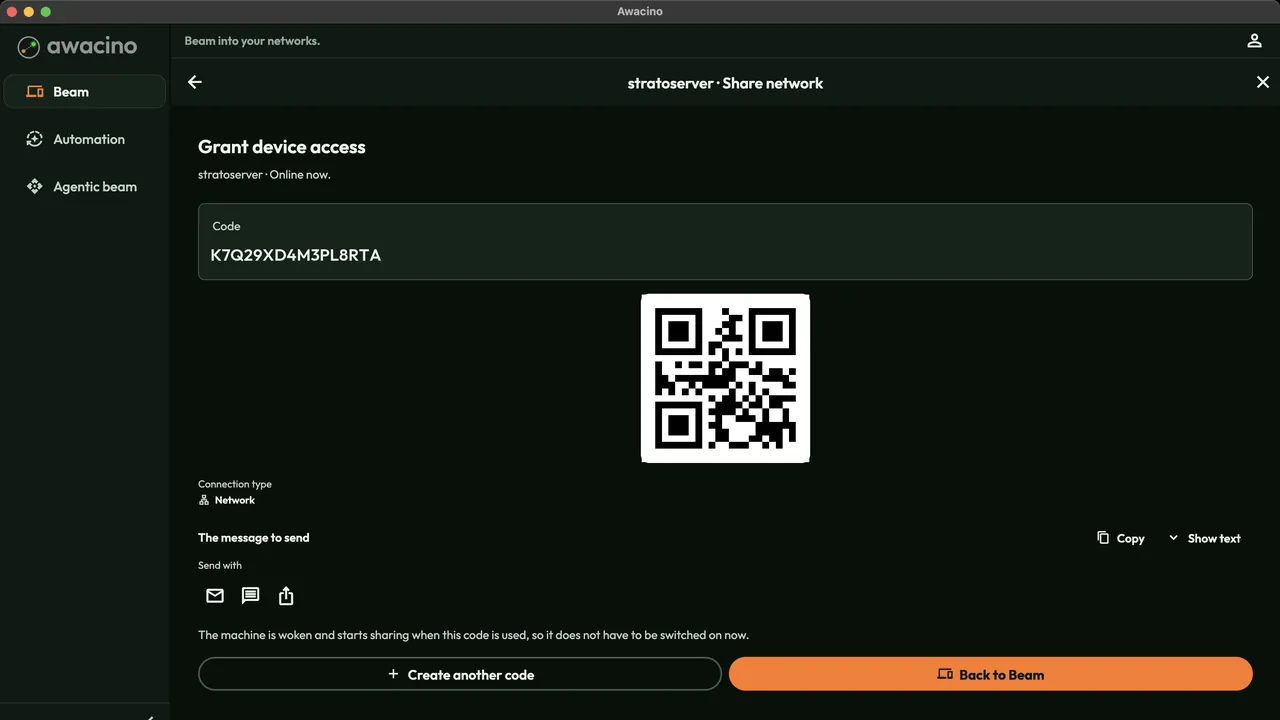
Send the code
Copy the 16-character code, show the QR code or send the ready message by mail, chat or the share sheet.
The connection type is shown with the code, so you see at a glance what it opens.
- 5
Your partner connects
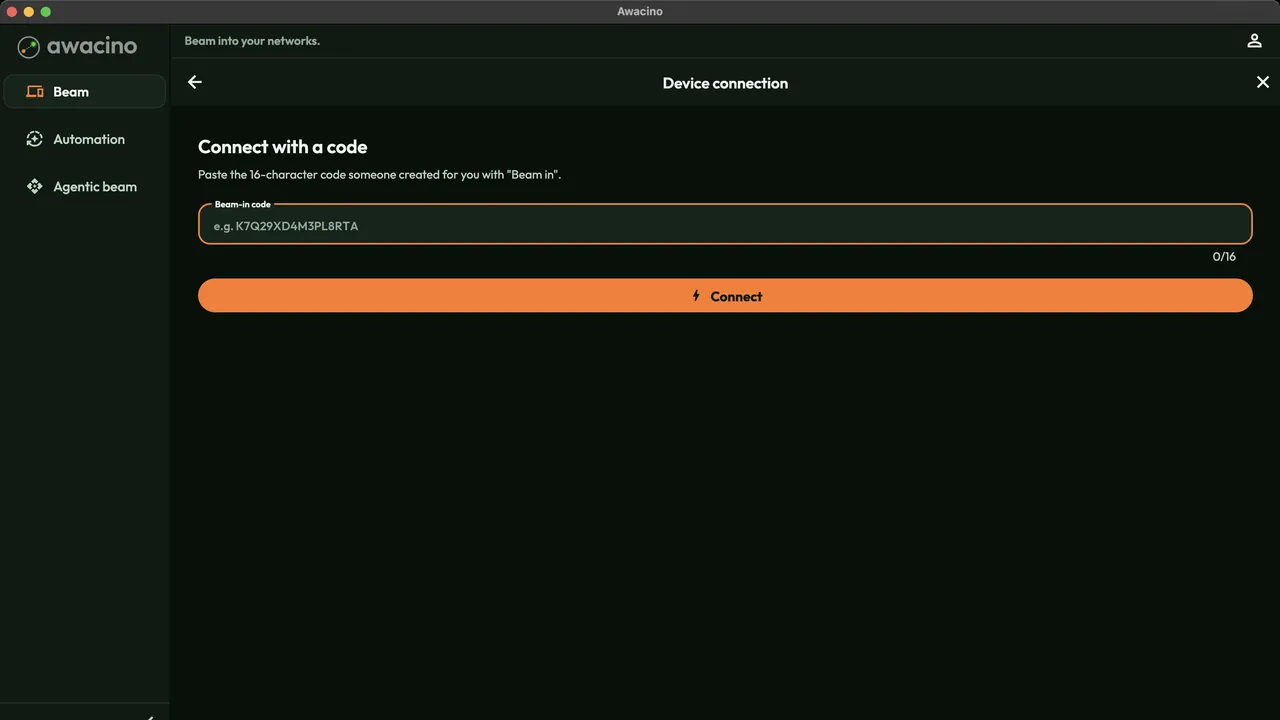
On their laptop or phone the partner opens Awacino, pastes the code under Connect with a code and taps Connect. The connection is direct and end-to-end encrypted - no VPN, no open port.
- 6
Switch it off when the job is done
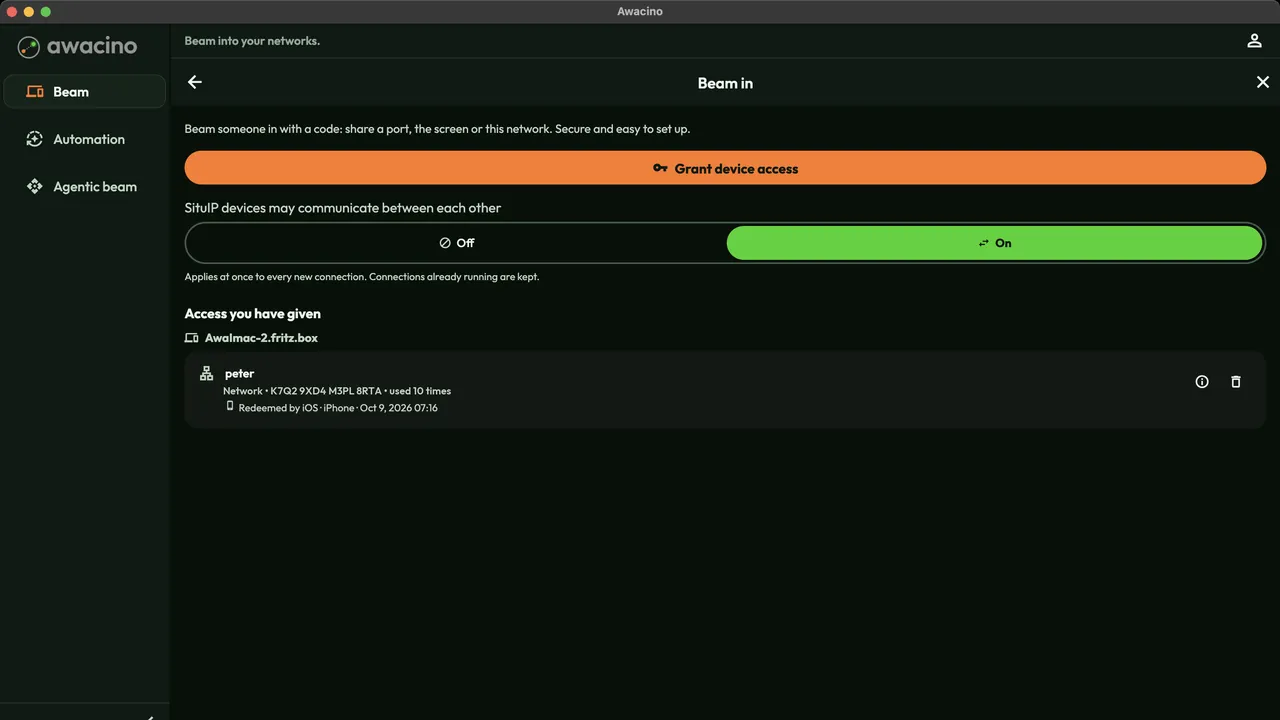
Under Access you have given you see each code, what it reaches, how often it was used and from which device. The bin icon ends it at once - a connected partner is disconnected.
Every use is written to the company audit log.
Where to go from here
Beam in
Codes for partners, servers and machines - what they reach and how they end.
Read moreCodes from your own tools
Create Beam-in codes with the Awacino API or Terraform - one per customer and machine.
Read moreIdentity & audit
Two-step confirmation per connection and the audit log of every use.
Read moreGive your first partner access today
Every company plan: 30 days free, no card. Or start on Company Free.
No credit card needed · cancel anytime · secure checkout with Stripe