
Awacino ZeroTrust Company Network
Roll Awacino out with your device management
Silent installation, your company domain preset, only the company sign-in - on every managed device.
No credit card needed · cancel anytime · secure checkout with Stripe
Tutorial · Rollout
Managed rollout, step by step
Your device management installs the app and hands it two optional keys. Staff open Awacino and see only your company sign-in.
- Intune, Jamf, Workspace ONE, managed Google Play or Group Policy
- A paid company plan
- 1
Install the app silently
Windows from the Microsoft Store with winget or Intune, macOS, iPhone and iPad through Apple Business Manager, Android through managed Google Play, Linux as a snap. winget install --id 9NLSHHK4BQ2B --source msstore --silent --accept-package-agreements --accept-source-agreements sudo snap install awacino - 2
Preset the company domain on Apple and Android
Add a managed app configuration (Intune app configuration policy, Jamf App Config, Workspace ONE, managed Google Play) with the two keys. On macOS a configuration profile with a com.apple.ManagedClient.preferences payload works too. <dict> <key>CompanyDomain</key><string>example.com</string> <key>HidePersonalSignIn</key><true/> </dict> - 3
Preset it on Windows
The same two values in the registry - through the Intune settings catalog, OMA-URI or Group Policy. HKCU works as a fallback. HKLM\SOFTWARE\Policies\Awacino CompanyDomain REG_SZ example.com HidePersonalSignIn REG_DWORD 1 - 4
Staff sign in with the company account
Hiding the other sign-ins is cosmetic - the rule itself is company sign-in enforcement in Identity & audit.
Staff open Awacino: "Sign in with company account" opens with @example.com filled in. With HidePersonalSignIn the screen shows only the company sign-in and "This device is set up by your company." - 5
Every device is ready
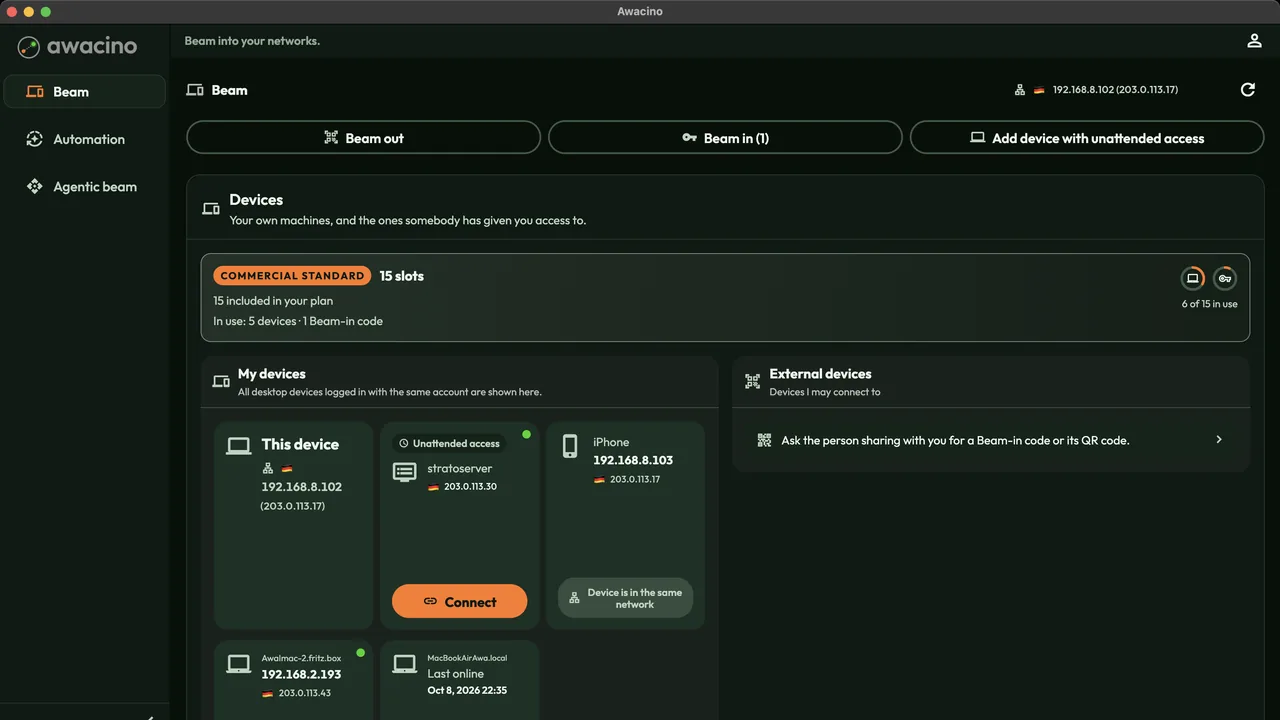
The managed devices appear in the company's devices - staff beam out into the office network with one tap.
Roll Awacino out to every managed device
Every company plan: 30 days free, no card. Or start on Company Free.
No credit card needed · cancel anytime · secure checkout with Stripe