The office in your suitcase - without the VPN box
 By Anna Walter, Chief Marketing & Sales ·
Ben is on the road three days a week. Hotel rooms, train stations, customer sites - and the office computer stays where it is. Here is how he still works at his desk.

Everything important lives in the office
The ERP, the customer database, the file share and the iMac with all his tools: they answer only inside the office network. For years that meant a VPN client that often did not connect - and an IT colleague who had to keep the VPN box up to date.
What Ben does today
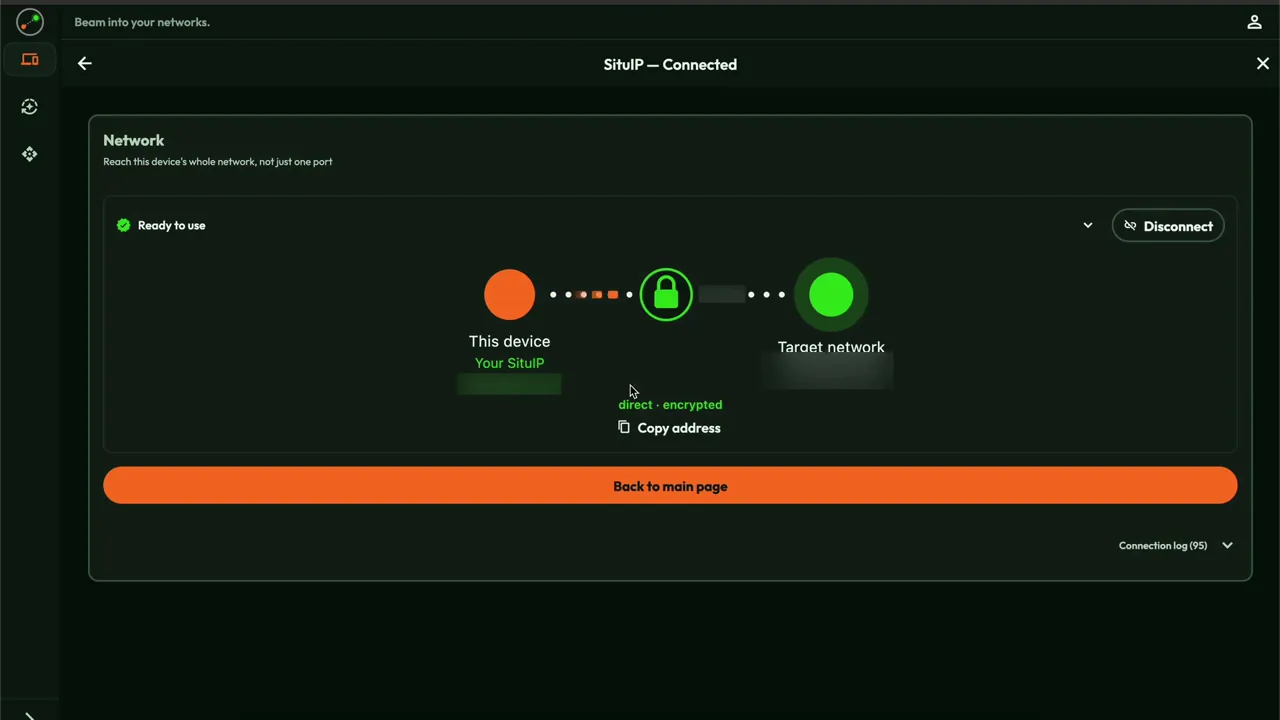
Ben opens Awacino in the hotel, taps Beam out and picks the office. His laptop is now "in the office": the database and the ERP answer at their usual address, and he opens his iMac screen as if he were sitting in front of it.
Why the team likes it
There is no box to buy or patch and no door open to the internet. Colleagues, and even the IT partner, get in with their own Beam-in code that can be switched off with one tap.
Try it yourself
Start with two free slots: your laptop and one computer in the office. Ben's use case explains it for teams, and the tutorial shows every click.

A view on technology
Dr.-Ing. Andreas Walter, Founder & CEO
Ben's laptop and the office computer both connect outwards. Our servers only introduce them; then Awacino finds a direct path between the two, even behind hotel Wi-Fi and the office firewall, and encrypts it end to end. The data never passes through us.
Because nothing in the office waits for incoming connections, there is no open port and no VPN gateway for attackers to scan - the office firewall stays closed.
The laptop gets a SituIP, a real address inside the office network, through a small virtual network interface. That is why every application works unchanged, by the address everyone in the office already uses.