
Make a server always reachable
Add it once as an unattended device - and its network is one tap away, day and night.
No credit card needed · cancel anytime · secure checkout with Stripe
An always-on Beam-in device, step by step
A server, a desktop that must stay reachable or a small board at a site: the unattended client dials out only, survives reboots and needs nobody at the keyboard.
- A Linux, Windows or Apple computer, or a small board
- Awacino on your laptop to set it up
- A company account - every plan, also Company Free
- 1
Add a device with unattended access
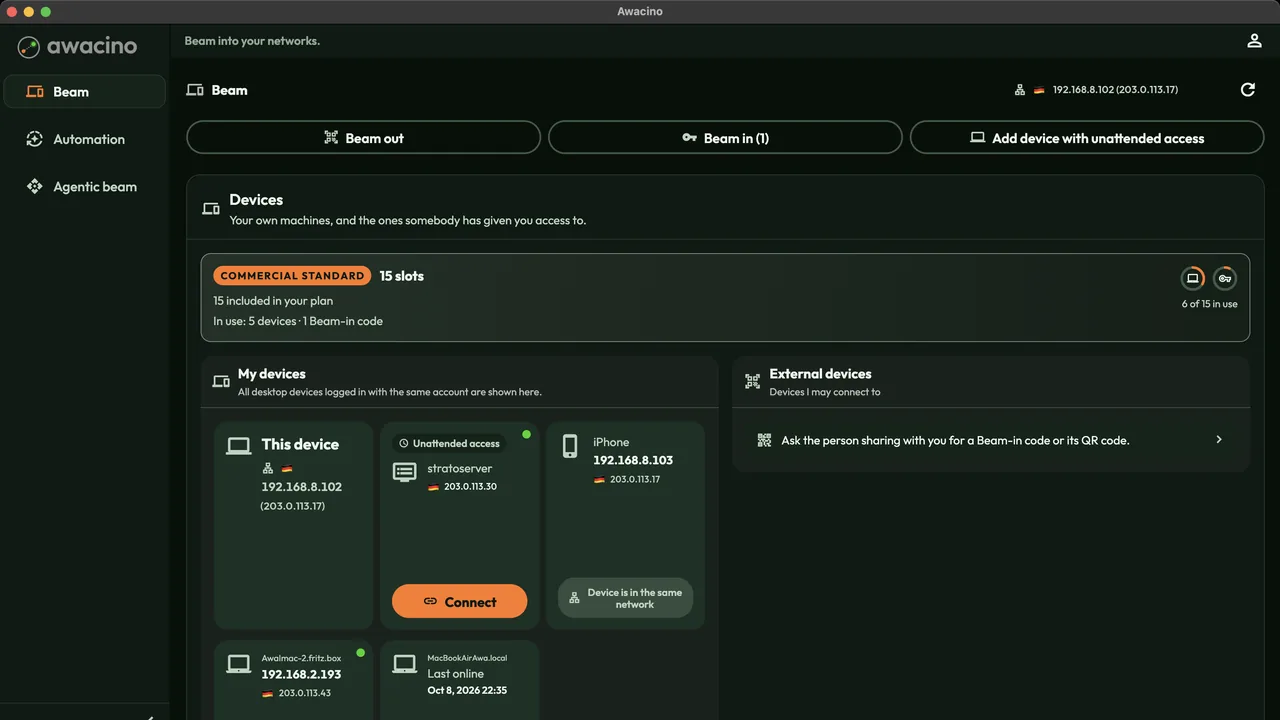
On the main page tap Add device with unattended access.
- 2
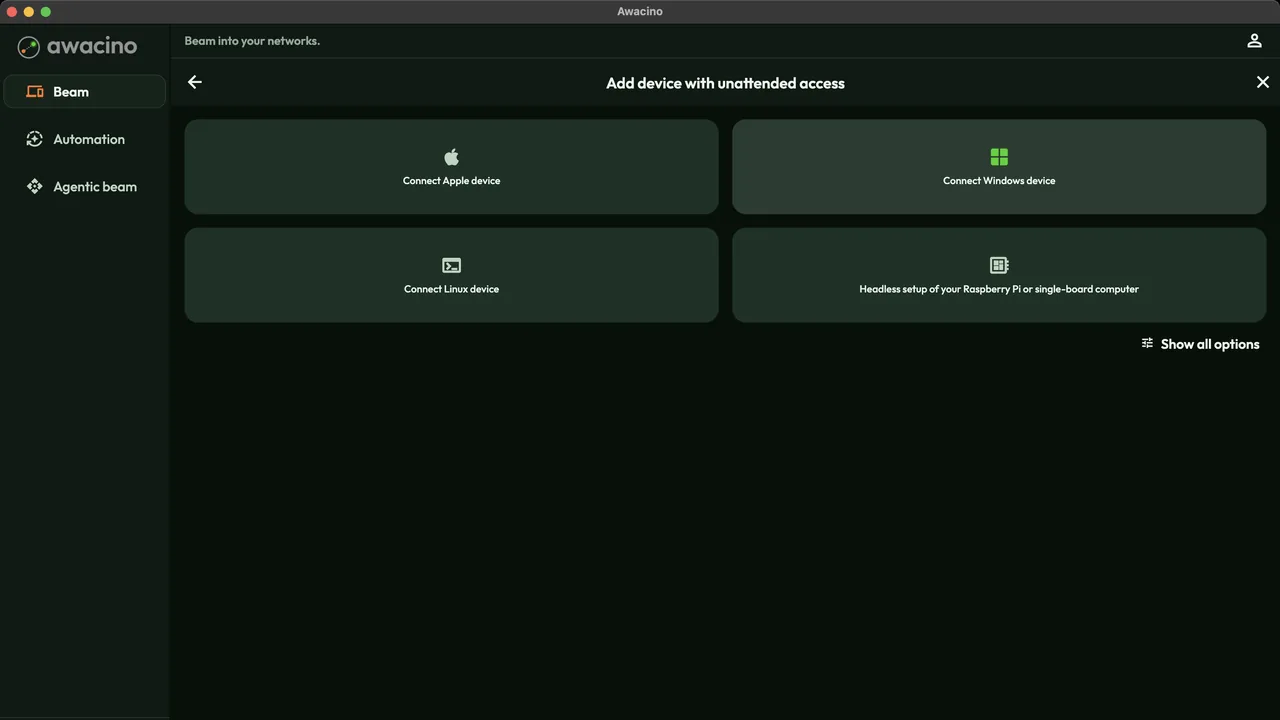
Pick the platform
Choose Connect Linux device, Connect Windows device, Connect Apple device or the headless setup for a Raspberry Pi or another single-board computer.
- 3
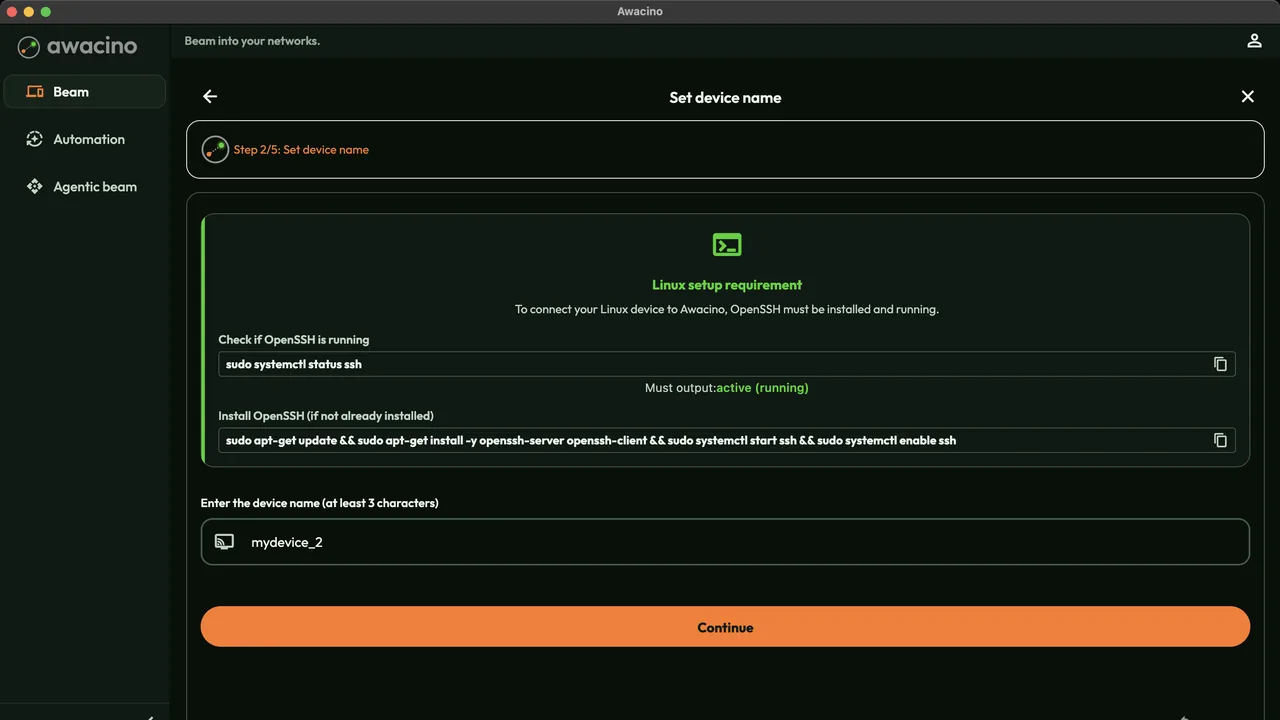
Check the requirement and name it
For Linux the app shows what the server needs (OpenSSH running) with the commands to copy. Give the device a name your team recognises and tap Continue.
- 4
Install the unattended client
It dials out only: nothing on the server is reachable from the internet.
The app's last step shows the install command for exactly this device. Run it on the server - the client installs headless, starts with the system and pairs with your company account. - 5
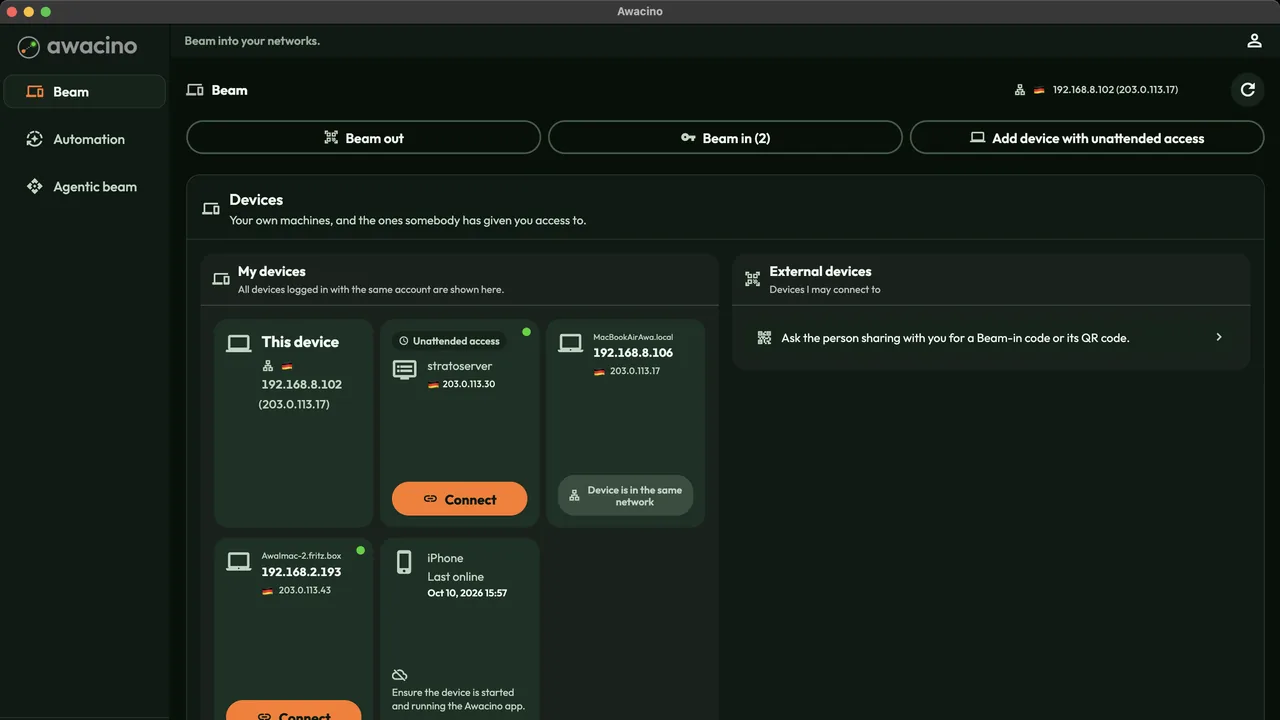
It appears in your devices
The server shows up under My devices marked Unattended access - online after every reboot, also after a power cut.
- 6
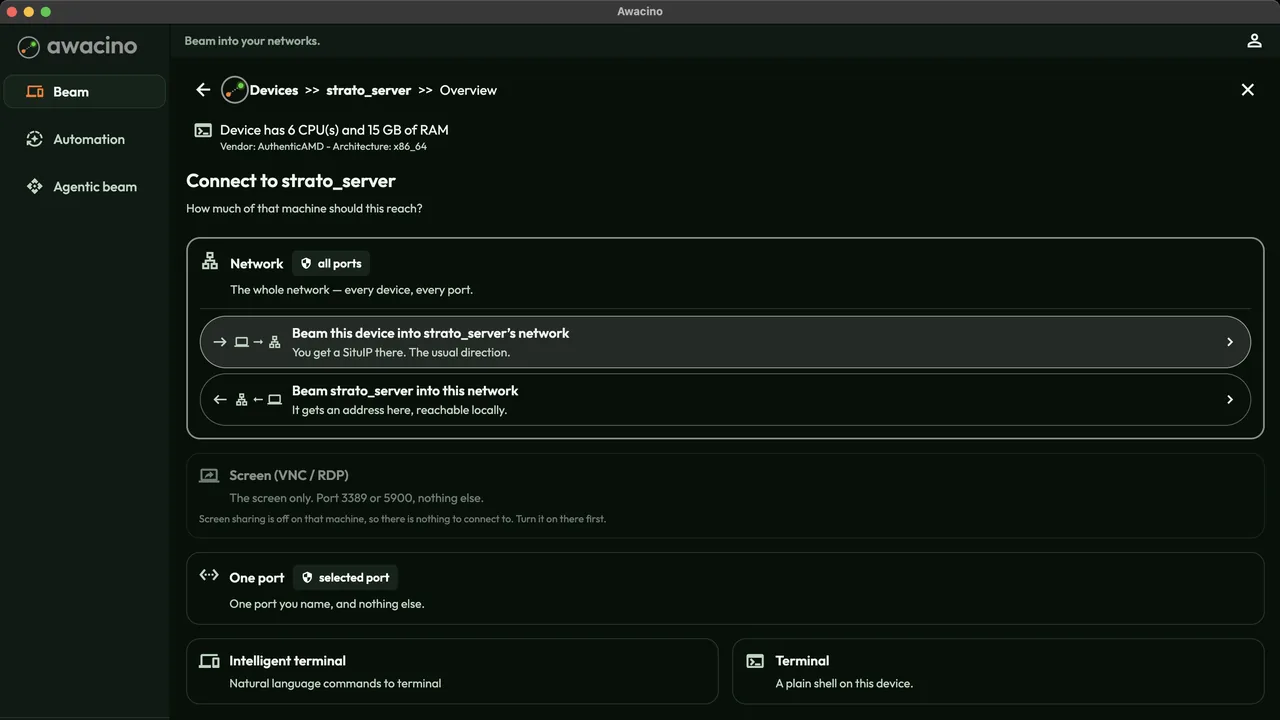
Connect - network, terminal or files
Tap the server: beam into its network, open one port, the plain Terminal, the Intelligent terminal, Files or the System Monitor.
- 7
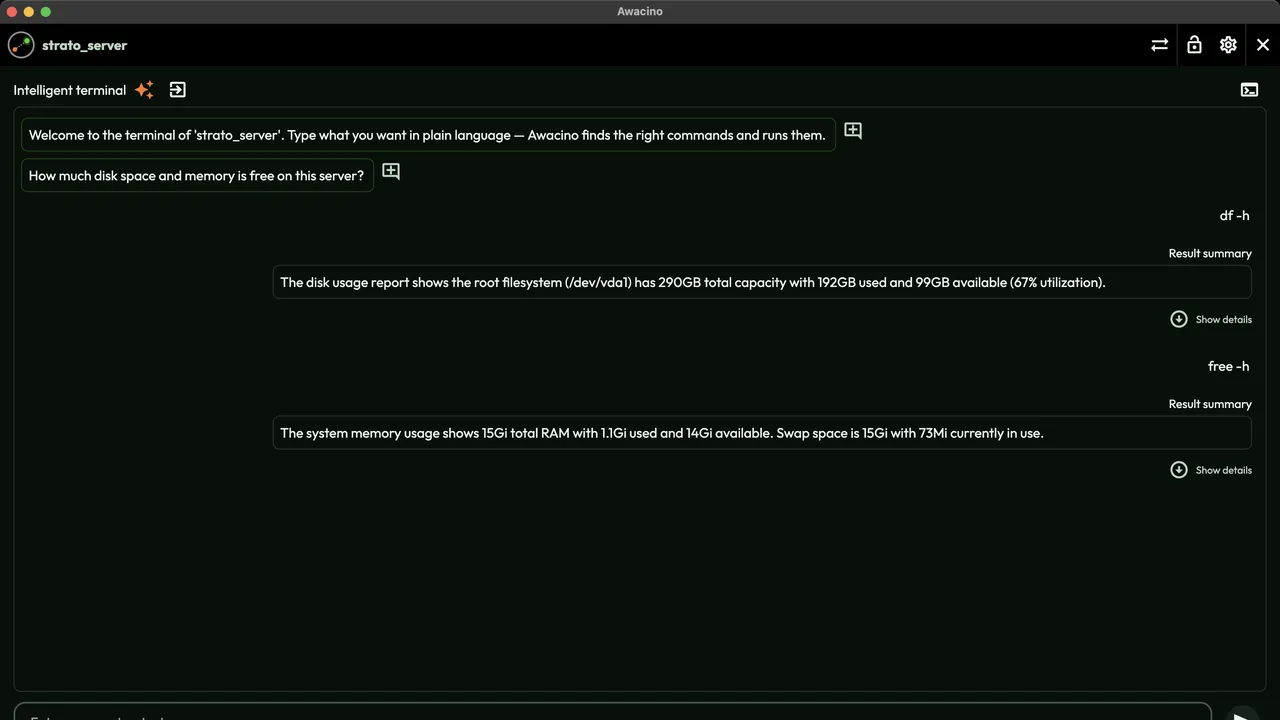
Ask the server in plain language
In the intelligent terminal you type what you want - Awacino finds the right commands, runs them and sums up the result.
Where to go from here
Make your first server reachable today
Every company plan: 30 days free, no card. Or start on Company Free.
No credit card needed · cancel anytime · secure checkout with Stripe