
Run Awacino in Docker and Kubernetes
One compose file per host, one Helm command per cluster - outbound connections only.
No credit card needed · cancel anytime · secure checkout with Stripe
Containers and clusters, step by step
The ready image docker.awacino.net/awacino/unattended runs on linux/amd64 and linux/arm64 - on servers, NAS systems and every node of a cluster.
- Docker or a Kubernetes cluster that allows privileged pods
- Awacino on your laptop for the setup codes
- A company account - every plan, also Company Free
- 1
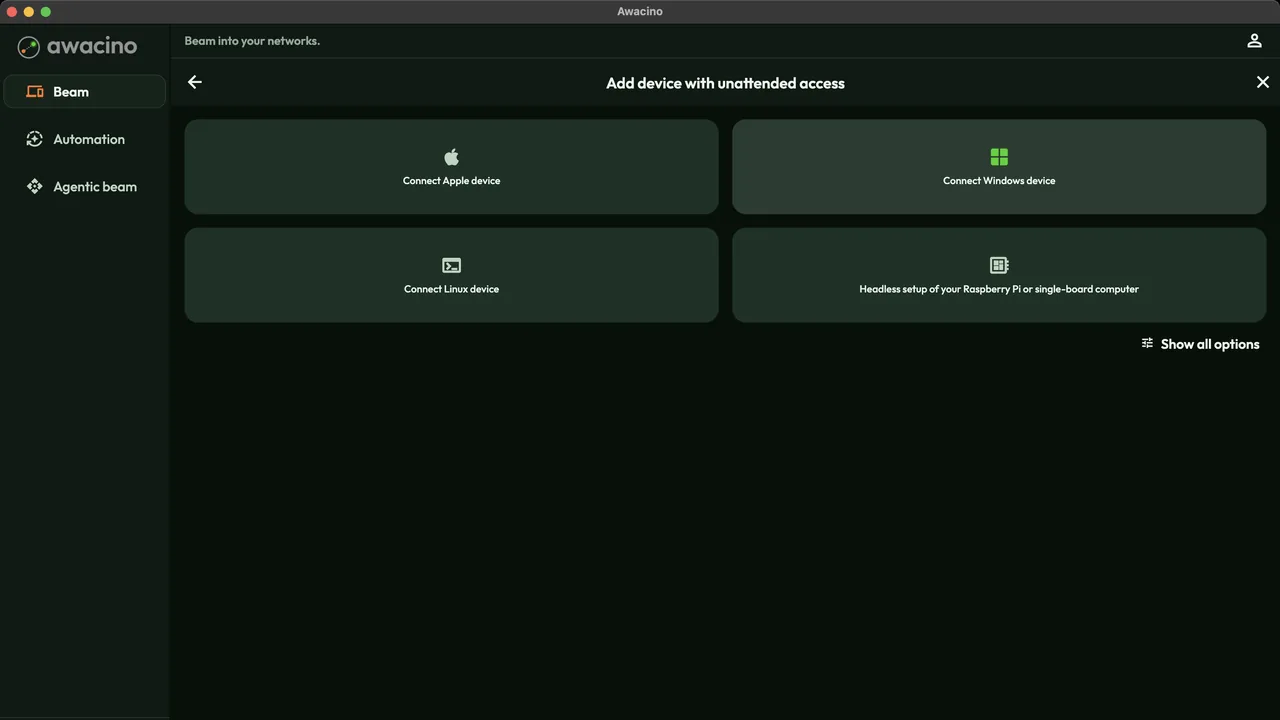
Add a device with unattended access
On the main page tap Add device with unattended access, then Show all options.
- 2
Get the setup code and compose file
Choose Install on NAS: the app shows a one-time setup code and a compose file with the code already filled in. One code per host - it is used once. - 3
Start the container
Save the compose file on the host and start it. restart: unless-stopped brings it back after every reboot; identity, certificates and updates live in the awacino-data volume. docker compose up -d - 4
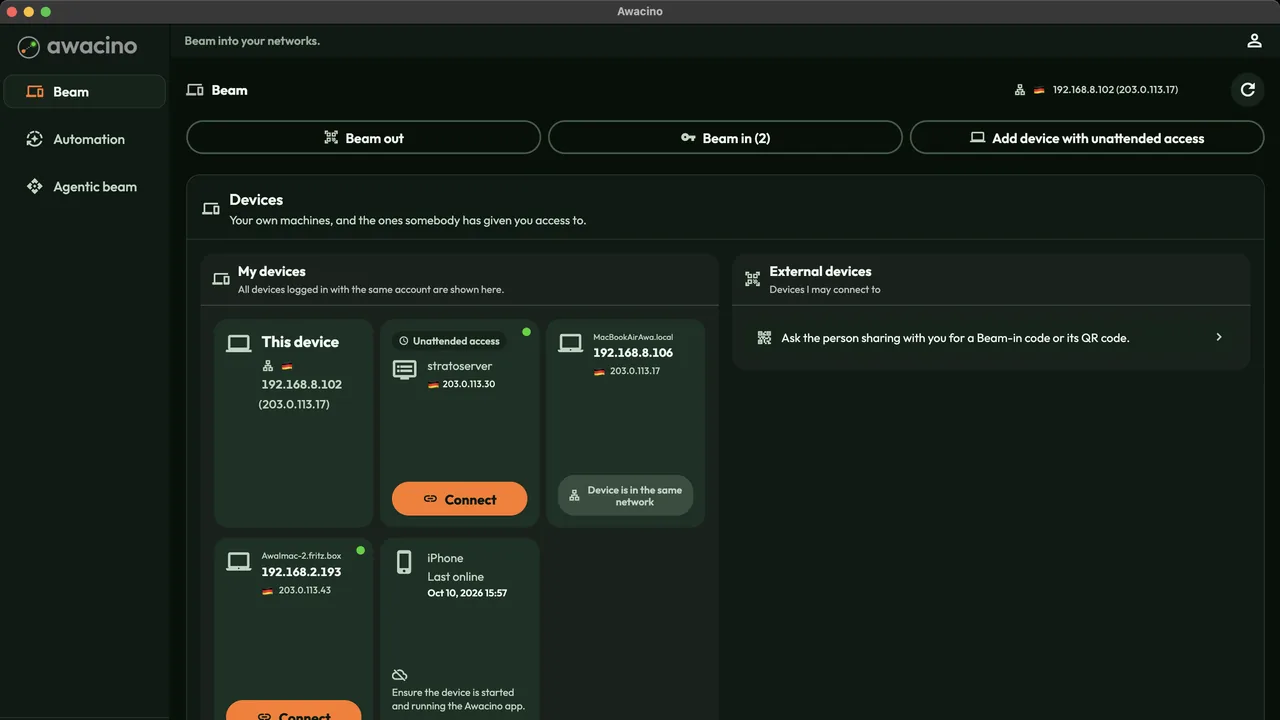
It appears in your devices
Within a minute the host shows up under My devices as an unattended device. With the host network you reach the whole network the host is in.
- 5
Install it on a cluster
Awacino runs as a DaemonSet: every selected node becomes its own Beam-in device - no Service, no Ingress, no open port. The pods run privileged on the host network, like any network agent. helm install awacino oci://docker.awacino.net/awacino/charts/awacino-unattended -n awacino --create-namespace kubectl label namespace awacino pod-security.kubernetes.io/enforce=privileged - 6
Pair each node
Standard clusters, k3s and kind; GKE Standard, EKS managed nodes, AKS; OpenShift with the privileged security context constraint.
List the nodes, create one setup code per node in the app (Add device with unattended access), then hand the codes to the chart. Each node appears within a minute. kubectl get nodes helm upgrade awacino oci://docker.awacino.net/awacino/charts/awacino-unattended -n awacino \ --reuse-values --set-string setupCodes.<node>=<code>
Run Awacino where your containers run
Every company plan: 30 days free, no card. Or start on Company Free.
No credit card needed · cancel anytime · secure checkout with Stripe