Unattended access
A network is only reachable while one device in it runs Awacino. For a network you want to reach at any time, set up a device with unattended access: it keeps running with nobody logged in.
Add a device
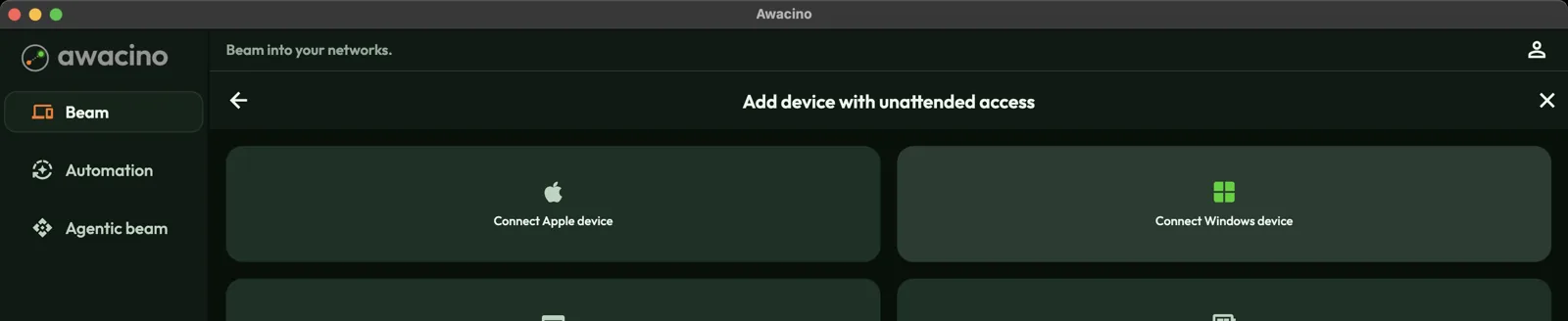
- On the Beam page, tap Add device with unattended access.
- Choose the kind of device: Connect Apple device, Connect Windows device, Connect Linux device, or the headless setup for a Raspberry Pi or other single-board computer. Show all options lists the rest.
- Follow the steps on the screen. When the device is done, it appears under My devices with the label Unattended access.
Raspberry Pi, servers and NAS
For a Linux server, a Raspberry Pi and many other boards there are ready-made installers. Check whether your board is supported in the list of supported devices.
On a NAS (Synology, QNAP, TrueNAS, Unraid), Awacino runs as a container that you install from the NAS's own web interface. The steps are on the Installation on NAS page.
A desktop that starts by itself
On a Mac, Windows or Linux desktop you can let Awacino start on its own: open your account (person icon), go to Start automatically and choose Start when I log in. To keep the machine reachable even with nobody logged in, for example after a power cut, choose Set up the standalone client on this device.
Each device takes one slot of your licence while it is registered, unattended or not.